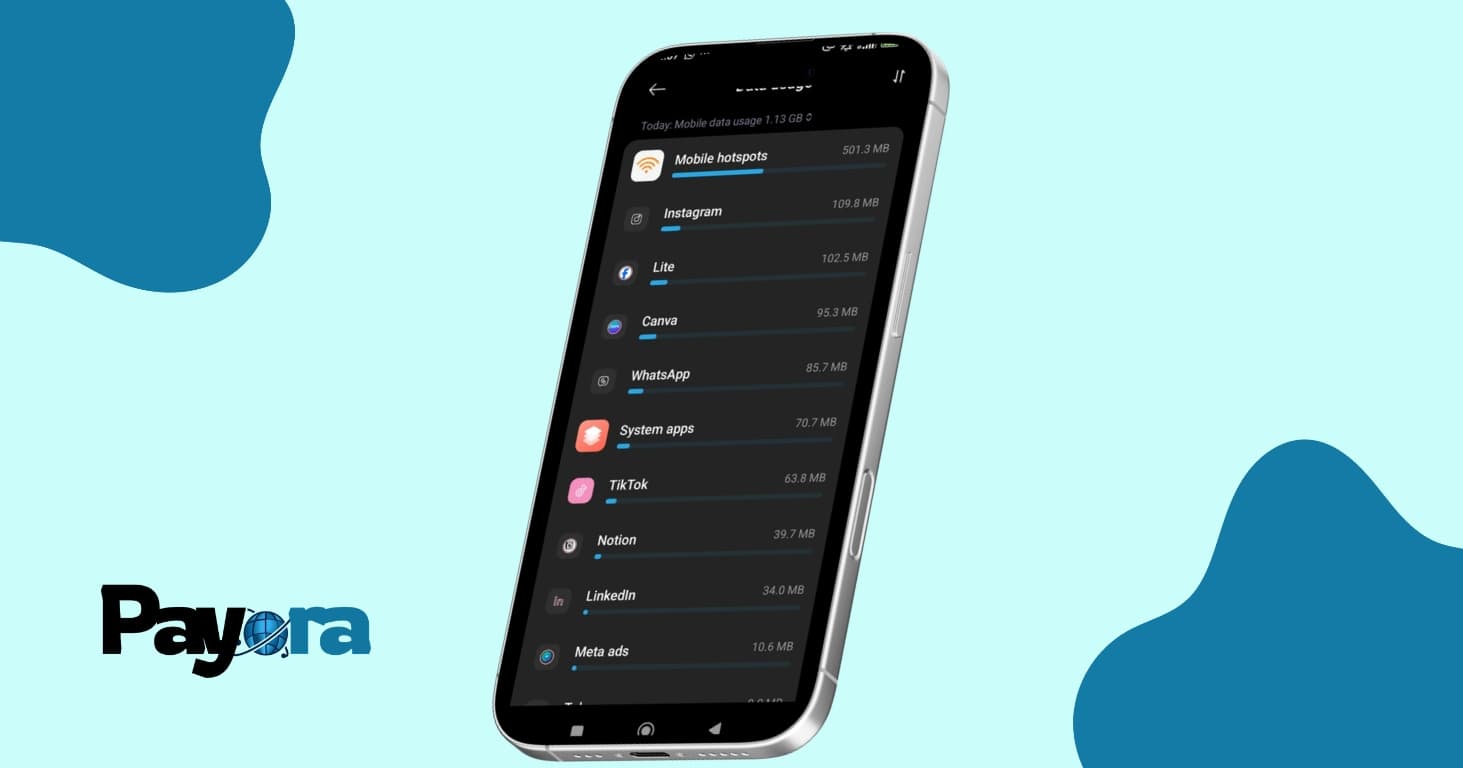
Have you ever purchased a data plan only to have it vanish into thin air? One minute you have plenty of data, and just before you can finish watching two reels on IG, it is gone as though it was never even there. If this sounds familiar, you are not alone. Complaints of mysteriously disappearing mobile data are very common.
Many people blame their smartphone, while others are convinced it's a deliberate ploy by their network provider to get them to spend more money on data. Now, before you nod in affirmation, understand that believing these myths won’t help you identify the actual cause. There is a real reason your mobile data finishes faster than you expected. In this article, we will uncover what is actually draining your mobile data, from hidden background processes to automatic system updates. We will also show you how to monitor your data usage on both Android and iPhone, and provide practical tips on how to manage your mobile data effectively.
What Could be Draining Your Mobile Data?
The culprit is not your smartphone or your network provider, as you might be tempted to believe. Whether you are an MTN, Airtel, Glo or 9mobile user, here are the top ten reasons your mobile data could be finishing fast:
1. Automatic Downloads
Setting your device to download files automatically, even when you are not actively using them can cause your mobile data to finish fast. Most times, we let apps download automatically without knowing, including Whatsapp media and email attachments. In many cases, these downloads can be very large and can take up to hundreds of megabytes or more to complete.
2. Online Games
Online games usually require data and might consume a lot more data than you anticipated. This is because of constant updates, real-time interactions, high quality graphics and streaming services. The amount of data consumed while gaming online depends on the particular game.
3. Auto-Playing Videos on Social Media
When you scroll on social media platforms, you sometimes notice that you don’t need to play a video before it starts. This happens because the autoplay setting is turned on for that platform. Most of these videos are in HD quality and can drain your data in minutes if auto-play is enabled.
4. High-Quality Video Streaming
The amount of data it requires to stream a high quality video is not equivalent to the amount of data consumed when watching or streaming a low quality video. You observe this when you attempt to download a video on YouTube or any other streaming platform.
5. Sharing Hotspot
When you share your hotspot with another user, your data consumption tends to increase automatically. You cannot control what features the other person is using while browsing with your data. Their downloads, automatic updates and video streaming could be happening at the same time.
6. Background App Refresh
One major reason your mobile data finishes quickly is background app refresh. Many apps continue to update themselves even when they are not in use. Social media platforms constantly pull new content in the background, while messaging apps load new messages, media and backup. Over time, this data consumption adds up especially when you have multiple apps installed on your device.
7. App Updates
Most times, your smartphone can automatically begin to update apps already installed in your phone. These updates can be large, especially for apps that frequently release new features. Without realizing it, several updates can be running in the background, consuming a large amount of data.
8. System Updates
If you choose to allow system updates over cellular data, it will cause the update to begin the moment you are connected to the internet. These system updates usually consume a lot of data during download.
9. Location Services & GPS
Apps that depend on location tracking, use your mobile data to refresh realtime location. This is especially true when you are navigating or when multiple apps are using your location in the background.
10. Apps That Use Heavy Ads
Certain websites display heavy ads before showing you the actual content. These ads often include video or animations, which automatically consume data.
How to Monitor Data Usage on Android and iPhone
Android and iPhone users have built-In features that enable them to track their mobile data. Before you can begin to control your data usages, you need to know how it is going.
How to Monitor Your Mobile Data on Android
- Go to settings
- Tap on Network & Internet or Connections
- Select Data Usage
- View Mobile Data usage
- From here you can see which apps consume the most amount of data.
How to Monitor Your Mobile Data on iPhone
- Go to settings
- Open mobile/cellular data
- Scroll down to see all apps
- Now you can see which apps consume the most data
Tips on How You Can Manage Your Mobile Data So It Lasts Longer
Both Android and iPhone users can manage their data by applying these practical tips:
- Turn off background data for heavy apps
- Reduce streaming quality by choosing data saver or low quality mode for streaming platforms
- Disable auto-app updates
- Turn off your hotspot when not in use.
- Use the lite version of apps like TikTok, IG and Facebook
Conclusion
High data usage isn’t a mystery; rather, it is a result of the convenient features we use on our mobile devices. From background updates to unnoticed system downloads. The good news is, you are in control. By following the tips listed in this article, you will be able to manage your mobile data more effectively.


