How to Pay for Google Ads in Nigeria (2026 Guide)

By Precious ChiomaPublished on June 8, 2026
How to Pay for Google Ads in Nigeria (2026 Guide)
Share:

Running Google Ads in Nigeria is one of the fastest ways to grow a business online, whether you’re promoting an online store, real estate listings, a fashion brand, or a digital service. The platform gives you instant visibility on Google search, YouTube, and partner websites.

But while setting up campaigns is easy, the real problem for most Nigerian advertisers is not ad setup; it is payment failure.

Many people create campaigns successfully, only to see ads stop running after a few days because their payment method was declined. Others cannot even complete setup because their card is rejected at the billing stage.

From ₦300/GB

Get Cheap Data Plans Across All Networks

Buy affordable MTN, Airtel, Glo and 9mobile data bundles instantly. The cheapest data in Nigeria.

MTNAirtelGlo9mobile
Get Cheap Data Plans Across All Networks
Advertisement · Payora

This issue is not random. It happens because Google Ads operates on an international billing system that charges in USD and relies heavily on recurring payments.

The good news is that there are reliable ways to pay for Google Ads in Nigeria in 2026 without interruptions.


Why Google Ads Payment Fails in Nigeria

Google Ads is not a simple one-time purchase platform. It works on a continuous billing system where you are charged based on your ad spend.

Depending on your account, Google either:

  • charges you automatically when you hit a spending threshold, or  
  • charges you at the end of a billing cycle  

In both cases, payments are processed in USD.

This creates problems for many Nigerian bank cards because:

Banks often restrict recurring international transactions for security reasons. Even when international payments are enabled, automated billing systems like Google Ads may still get flagged as suspicious.

Another issue is currency conversion. Since your bank must convert naira to dollars in real time, even small fluctuations or insufficient balance can cause payment failure.

In some cases, Google’s system may also reject payments due to mismatched billing details or repeated failed attempts.

So the real issue is not your account; it is the payment infrastructure.


Method 1: Using a Nigerian Debit Card

Some Nigerian Visa or Mastercard debit cards can work for Google Ads payments, especially when international transactions are enabled.

However, this method is not always stable.

A card may work initially and then fail later when Google tries to charge automatically again. This inconsistency makes it unreliable for serious advertising campaigns.

Even when it works, you must ensure:

  • international spending is enabled  
  • sufficient funds are available in naira  
  • your bank supports USD conversions for recurring payments.  

For long-term campaigns, many advertisers eventually outgrow this option due to frequent interruptions.


Method 2: Using Payora Virtual Dollar Card (Recommended for Nigerians)

For most advertisers in Nigeria, the most reliable way to pay for Google Ads in 2026 is through a Payora virtual dollar card.

Payora provides a virtual USD card that allows you to fund your account in naira and pay international platforms like Google Ads seamlessly in dollars.

Because Google Ads charges directly in USD, Payora removes the biggest barrier: bank restrictions on recurring international payments.

Once you fund your Payora card, you simply add the card details in your Google Ads billing settings, and payments are processed like a normal international transaction.

This method is widely preferred because it:

  • eliminates failed bank declines  
  • supports recurring billing without interruptions  
  • allows easy funding in local currency  
  • gives advertisers better control over ad spend  

For many Nigerian marketers, Payora has become a practical bridge between local payments and global advertising platforms.

The key advantage is consistency; once your Payora card is funded, your ads continue running without unexpected stoppages due to payment issues.

 

From just $2

Get a Virtual Dollar Card that Works Everywhere

Create a virtual dollar card instantly on Payora. Pay for Netflix, Spotify, Amazon, and any international service with ease.

NetflixSpotifyAppleAmazon
Get a Virtual Dollar Card that Works Everywhere
Advertisement · Payora

Method 3: Google Ads Invoice Billing (For Large Accounts)

Some established advertisers may qualify for invoice billing.

This system allows you to run ads first and pay later via bank transfer.

However, this option is not available to most beginners. It is usually reserved for businesses with high and consistent ad spend history.

For small and medium businesses in Nigeria, this method is rarely accessible at the start.


How to Add Your Payment Method in Google Ads

Once you have a working payment option, setting it up inside Google Ads is straightforward.

You start by logging into your Google Ads account and opening the billing section. From there, select “Add payment method.”

Enter your card details, including card number, expiry date, and CVV. If you are using a Payora virtual dollar card, these details will be provided inside your Payora dashboard.

After adding the card, Google may place a small verification charge to confirm the card is active.

Once verified, set it as your primary payment method.

At this point, your campaigns can run normally, and billing will be handled automatically based on your ad spend.


Common Google Ads Payment Problems in Nigeria

Even with the right setup, issues can still occur.

One common problem is sudden ad suspension due to failed billing attempts. When Google cannot charge your card, it immediately pauses your campaigns.

Another issue is inconsistent card behavior, where a card works for one transaction but fails for the next billing cycle.

Some users also experience declines due to insufficient funds caused by exchange rate fluctuations, since Google charges in USD.

Billing mismatches can also trigger rejections if the payment details do not align properly with your account setup.

From just $2

Get a Virtual Dollar Card that Works Everywhere

Create a virtual dollar card instantly on Payora. Pay for Netflix, Spotify, Amazon, and any international service with ease.

NetflixSpotifyAppleAmazon
Get a Virtual Dollar Card that Works Everywhere
Advertisement · Payora

These issues are common, but they can be avoided with a stable payment method.


How to Avoid Payment Interruptions

  1. Consistency is key when running Google Ads.
  2. Always ensure your payment method is funded before your ads reach billing thresholds. If your card is empty when Google attempts to charge, your campaigns will stop immediately.
  3. Avoid frequently switching payment methods, as this can trigger account verification checks.
  4. Monitor your ad spend regularly to avoid unexpected billing spikes.
  5. Most importantly, use a payment system that supports recurring international payments without restriction.


Which Payment Method Is Best for Nigerians?

For most advertisers in Nigeria:

  • Nigerian bank cards: sometimes work, but unreliable  
  • Payora virtual dollar card: most stable and recommended  
  • Invoice billing: best for large businesses (not widely accessible)  

If you are running consistent campaigns, reliability matters more than anything else. A stable payment method means your ads run without interruption.


Final Thoughts

Paying for Google Ads in Nigeria is not the real challenge; keeping your campaigns active without payment failures is.

Most issues come from bank restrictions, currency conversion limitations, and unstable recurring payment handling.

That is why many Nigerian advertisers now rely on solutions like Payora virtual dollar cards, which make it easier to fund and manage international advertising platforms without stress.

Once your payment method is stable, Google Ads becomes much more powerful. You can focus on targeting, conversions, and business growth instead of worrying about whether your ads will suddenly stop running.

With the right setup, running Google Ads in Nigeria becomes smooth, predictable, and scalable.


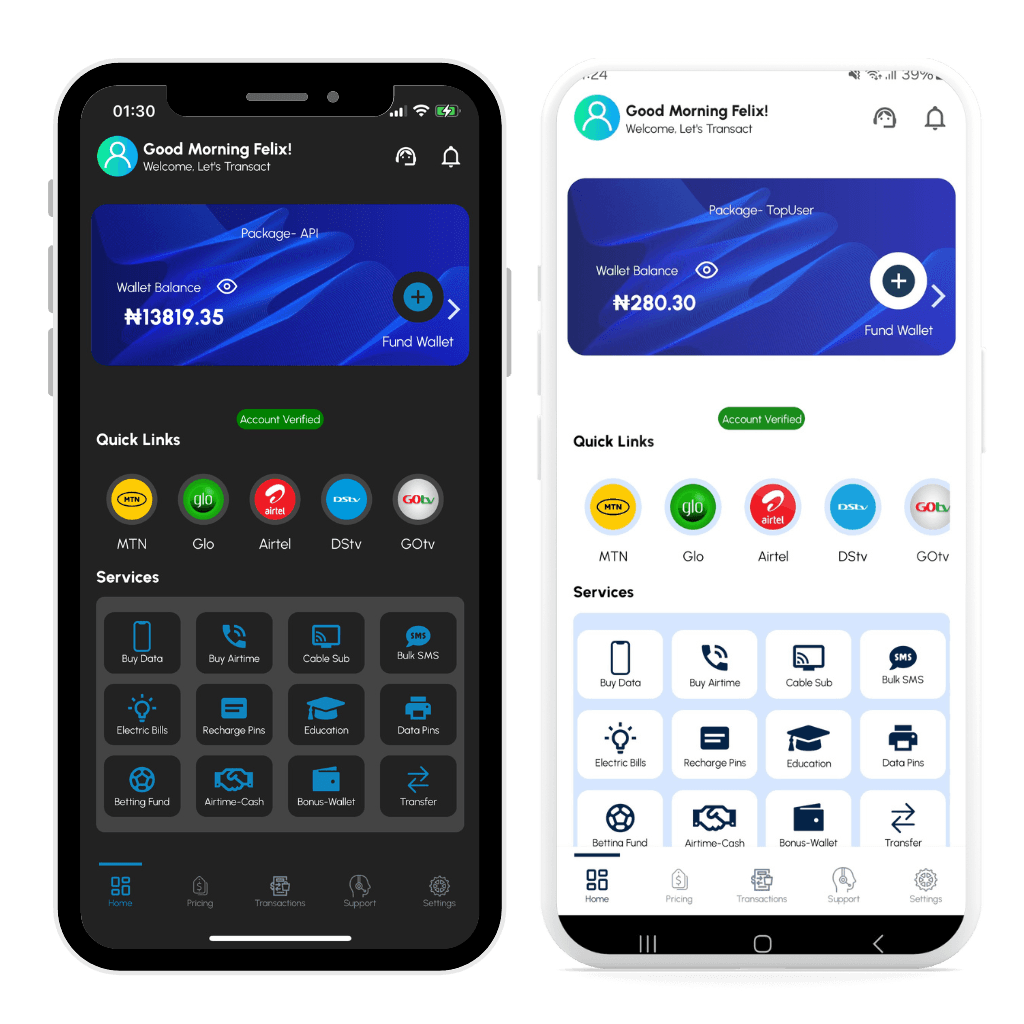
Download the Payora App

Experience seamless transactions on the go. Top up your wallet, purchase data, pay bills, and trade gift cards - all from your smartphone.

Get it on Google PlayDownload on the App Store
Payora Mobile App