Why Is My Data Finishing So Fast (And Simple Ways to Stop It)

By Precious ChiomaPublished on April 15, 2026
Why Is My Data Finishing So Fast (And Simple Ways to Stop It)

If you’re in Nigeria in 2026 and your MTN, Airtel, Glo, or 9mobile data runs out in just a day or two, even when you’re not streaming or downloading, you’re not alone. Lots of people are wondering, “Why is my data finishing so fast?”

You might buy ₦1,000 or ₦2,000 worth of data, expecting it to last all week, but by the next morning, it’s nearly finished. It’s frustrating, especially with data prices rising and so much happening online through WhatsApp, Instagram, TikTok, and work calls.

The good news is that it’s usually not some mysterious network problem taking your data. Most of these issues can be fixed with a few phone settings and better habits. Once you know what’s using your data, you can make it last two or three times longer and save money on recharges.

Advertisement

"If you’ve been looking for a simple way to trade crypto, try this.”

In this guide, we’ll explain the main reasons your mobile data runs out quickly in Nigeria. Then, we’ll give you simple, step-by-step fixes for both Android and iPhone. Finally, we’ll show you how to buy and manage your data more easily.

Common Reasons Why Your Mobile Data Finishes Fast 

People in Nigeria are using more data than ever before, whether it’s streaming videos, browsing social media, joining online meetings, or using fintech apps. But there are also some hidden reasons why your data bundle disappears faster than you expect. Here’s what’s usually causing it:

1. Background Apps Running Non-Stop

Apps like WhatsApp, Instagram, Facebook, TikTok, Gmail, and Google Photos continue to use data in the background, even when your screen is off. They might refresh your feed, sync messages, upload photos, or check for updates. This background activity can quietly use 500 megabytes (MB) to 1 gigabyte (GB) or more each day without you noticing. (1 gigabyte is about 1,000 megabytes.)

2. Automatic App Updates and Downloads

Your Google Play Store or Apple App Store might be set to update apps automatically over mobile data. One big update (like for a game or social app) can swallow hundreds of megabytes in minutes.

3. High-Quality Streaming and Auto-Play Videos

Watching TikTok Reels, Instagram Stories, YouTube Shorts, or Netflix in HD or 4K can quickly use up your data. Auto-play videos make it even worse by loading before you even press play. Social media apps are built to keep you watching, so they end up using more data.

4. Poor Network Signal and Faster Networks

If your network signal is weak, your phone works harder to stay connected, which can use more data. On the other hand, faster networks like 4G and 5G let you download things more quickly, so you might use up your bundle faster. Network operators say that better speeds can make your data seem to finish faster, even if you’re using the same amount.

5. Cloud Backups and Auto-Sync Features

WhatsApp backs up your chats and media. Google Photos uploads every picture. iCloud syncs your files. All of these can run in the background and use a lot of data, especially if you take lots of photos or videos.

6. Ads, Trackers, and Heavy Apps

Free apps, especially news, social, and game apps, load lots of ads and tracking scripts. These hidden extras add up fast. Facebook, Instagram, and local news apps are common examples.

7. Hotspot Sharing and Multiple Connected Devices

If you share your data over a hotspot with family, friends, or devices like your laptop or smartwatch, it will run out much faster. Background apps on these devices also use up your data.

8. Other Sneaky Factors

Malware, bad apps, always-on location services, push notifications, and Wi-Fi calling can all use extra data. In busy network areas, your phone might keep reconnecting, which uses even more data. These problems happen on MTN, Airtel, Glo, and 9mobile. While some people blame the networks, most experts say it’s usually user settings and habits that cause fast data loss.

Simple and Effective Ways to Stop Your Data from Finishing Fast

You don’t need any expensive apps or special tech skills to fix this. These simple steps work on Android phones like Samsung, Tecno, and Infinix, as well as iPhones, in 2026. Start with the first few tips for the biggest results.

1. Turn On Data Saver Mode (The Quickest Fix)

This setting is very helpful. It limits background data and makes apps use less data when you’re on a mobile network.

On Android: Go to Settings > Network & Internet (or Connections) > Data Saver > Toggle it on.

On iPhone: Settings > Cellular (or Mobile Data) > Mobile Data Options > Turn on Low Data Mode.

Many people find their data lasts twice as long right after turning this on.

2. Restrict Background Data for Problem Apps

Find out which apps use the most data and stop them from running in the background.

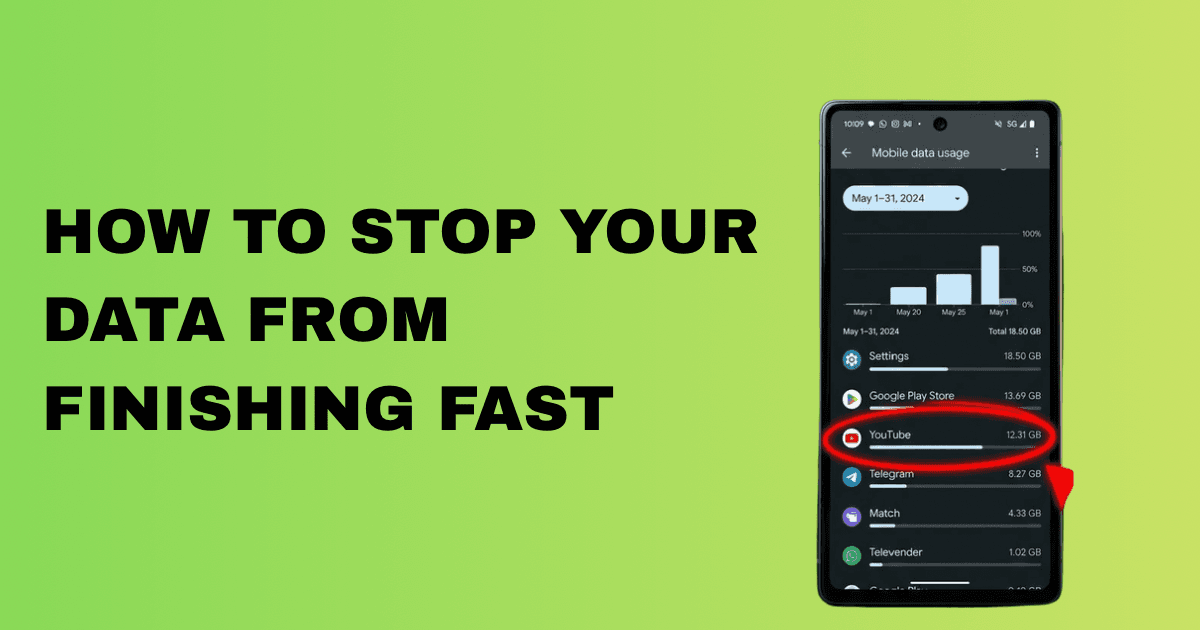
Android: Go to Settings, then Network & Internet, then Data Usage to see which apps use the most data. For apps you do not need to always connect to (like games or shopping apps), tap on them and turn off "Background data" (which means data used when you are not actively using the app) or "Unrestricted data usage" (which allows data use without restrictions).

iPhone: Settings > Cellular > Scroll to see data used by each app > Toggle off cellular data for apps you don’t need on mobile.

Only allow background data for important apps like WhatsApp, especially if you need instant messages.

3. Disable Automatic App Updates

Stop your phone from updating apps when you’re using mobile data. Automatic updates mean your phone installs new app versions without asking. Updating over Wi-Fi saves your mobile data.

Google Play Store: Tap your profile picture > Settings > Network preferences > Auto-update apps > Choose "Over Wi-Fi only."

Advertisement

Apple App Store: Go to Settings > App Store > Turn off "App Updates" under Cellular Data (or set to Wi-Fi only).

4. Lower Video Quality and Stop Auto-Play

Change settings in your favorite apps:

In YouTube, TikTok, Instagram, Netflix, and Facebook: Go to Settings > Video quality > Select "Data saver," "Low," or "SD" instead of HD/Auto.

Turn off "Auto-play videos" or "Play videos in feeds automatically."

5. Just making this change can save you hundreds of megabytes every day if you spend a lot of time scrolling on the lite version of apps.

Use lighter alternatives that are designed to consume less data:

Facebook Lite

YouTube Go or YouTube in data saver mode

Twitter/X Lite (where available)

Opera Mini or Chrome with Lite/Data Saver mode enabled.

These versions load faster and use much less data, while still giving you the main features.

6. Download Content Over Wi-Fi Instead of Streaming

Whenever possible:

Download videos, music, podcasts, or maps while you’re on Wi-Fi so you can use them offline.

Use offline modes in apps like Google Maps, Spotify, Netflix, or YouTube.

Download WhatsApp statuses or documents ahead of time when you’re on Wi-Fi.

7. Monitor Your Data Usage and Set Limits

Keep track of your data:

Android: Settings > Network & Internet > Data Usage > Set data warning and data limit. Your phone will alert you or cut off data when you approach the limit.

iPhone: Settings > Cellular > Scroll to view usage stats, then, if available, set alerts in your carrier app.

Advertisement

Also, check your balance often using your network’s USSD code, like *323# for MTN.

8. More Quick and Powerful Tips

Turn off auto-sync for emails, cloud backups, and location services when you don’t need them.

Use browsers that compress data, like Opera Mini. Data compression makes web pages smaller, so they use less data when loading. Opera Mini is made to help you save data. Also, uninstall unused apps and turn off notifications you don’t need.

For heavy users: Consider buying larger, shorter-term deals that often offer better value per GB.

Block ads where possible with browser extensions or apps (but be careful with third-party tools).

If you use even half of these tips, most people find their data lasts much longer—sometimes from just 1–2 days to a whole week or more, depending on how you use your phone.

Buy and Manage Your Data Smarter with Payora

First, set up your phone to save data. Next, buy data easily at good prices so you don’t spend too much.

Payora makes things easier. It’s a simple app that lets you quickly buy affordable data bundles for MTN, Airtel, Glo, and 9mobile.

  • Get airtime top-ups at discounted rates.
  • Track your data balances in one place.
  • Handle other payments like electricity bills, cable TV, and even virtual dollar cards.

Many people use these data-saving tips along with Payora’s quick recharge to save even more. Instead of buying small daily bundles at higher prices, you can top up when you find a good deal in the app. Delivery is fast and automatic, so there’s no hassle.

Whether you’re a student, freelancer, or heavy social media user anywhere in Nigeria, having a reliable app like Payora helps you stay connected without spending too much.

Conclusion

Your data doesn’t have to run out quickly anymore. Start by turning on Data Saver mode and limiting background app data. You’ll probably notice a difference in just a few hours. Also, try downloading over Wi-Fi, lowering video quality, and using lite apps to save even more each month.

Remember, faster networks and more online activity mean we all need to be smarter with our data. It’s not always the network’s fault; small changes on your phone can make a big difference.

Stay connected longer, spend smarter, and make every gigabyte count in 2026. Download the Payora app today for easy data top-ups, airtime, bill payments, virtual cards, and more, all in one place.


Download the Payora App

Experience seamless transactions on the go. Top up your wallet, purchase data, pay bills, and trade gift cards - all from your smartphone.

Get it on Google PlayDownload on the App Store
Payora Mobile App
Why Is My Data Finishing So Fast (And Simple Ways to Stop It)